
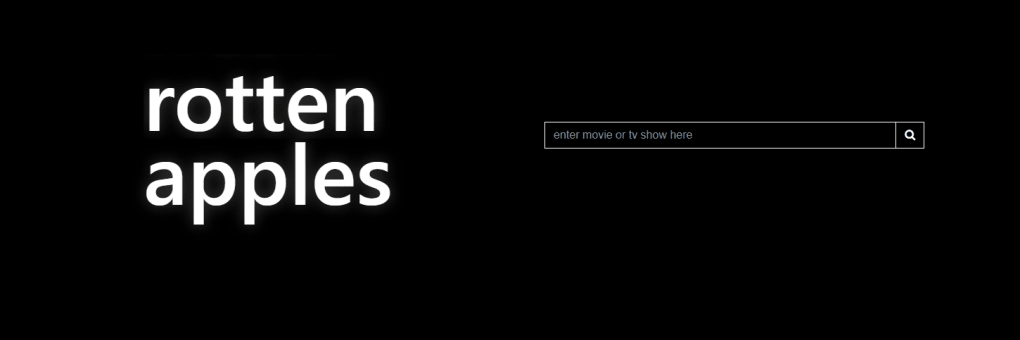



Download Rotten Apples – Entertainment Controversy Tracker, Free & Secure
Overview
Rotten Apples is a free, web‑based tool that lets viewers quickly discover whether a film or television series involves cast or crew members who have been publicly accused of sexual misconduct. In an era where entertainment news is saturated with allegations of harassment, the platform acts as a public service, offering a searchable database that links directly to reputable news reports. By typing a title into the search bar, users receive an instant flag if any associated individual appears in the records, complete with a concise summary of the accusation and a hyperlink to the original article.
This transparency helps audiences make informed viewing choices, supports industry accountability, and encourages discussion around ethical consumption of media. Rotten Apples is designed with simplicity in mind—no bulky downloads, no registration hurdles, and a clean interface that works on any modern browser. Whether you’re a casual movie‑goer, a researcher, or a media professional, the site offers a reliable reference point for navigating the complex landscape of entertainment controversies.
Key Features
- Instant Title Search: Enter any film or TV series name and receive an immediate status on alleged misconduct.
- Verified News Sources: Each entry includes a direct link to reputable media coverage, ensuring users can read the full context.
- Advanced Filters: Narrow results by role (actor, director, writer, etc.), year of release, or type of allegation.
- Bookmark & Export: Save flagged titles to a personal list or export them as CSV for research purposes.
- Responsive Design: Optimized for desktop, tablet, and mobile browsers, guaranteeing a smooth experience on any device.
- Privacy‑First Architecture: No user accounts, cookies, or data tracking—your searches remain anonymous.
- Regular Updates: The database is refreshed weekly with new reports from trusted news outlets worldwide.
- Community Reporting: Users can suggest new entries or corrections, subject to editorial review.
How to Install and Use Rotten Apples
Installation (Zero‑Step Process)
Rotten Apples is a cloud‑hosted web application, which means there is no software to download or install. To start, simply open your preferred browser (Chrome, Firefox, Safari, Edge, or Opera) and navigate to www.rottenapples.com. The site loads within seconds thanks to lightweight HTML5 and CSS3 code, and it works on both secure (HTTPS) and standard connections.
Step‑by‑Step Usage Guide
- Enter a Title: Type the exact name of the movie or series into the central search field. Autocomplete suggestions appear as you type, helping you locate the correct spelling.
- Review Results: If the title is clean, a green checkmark with “No reported accusations” appears. If there are matches, a red alert icon shows the number of individuals flagged.
- Explore Details: Click on the alert to open a panel that lists each implicated person, the nature of the accusation, the year it was reported, and a clickable citation to the original news article.
- Use Filters: Refine the view by selecting specific roles (e.g., “Director”) or choosing to hide older allegations older than five years.
- Save or Export: Click the “Bookmark” star to add the title to your personal watchlist, or press “Export CSV” to download a spreadsheet of all flagged titles for offline analysis.
- Provide Feedback: At the bottom of each result panel, a “Suggest Edit” button lets you submit new information or corrections, which the editorial team reviews within 48 hours.
The entire workflow is designed to be intuitive, taking less than a minute from search to insight. Because no installation is required, updates are seamless—every time you refresh the page, you’re automatically accessing the latest version of the database.
Compatibility & System Requirements
Rotten Apples runs on any device that supports a modern web browser. The platform is fully compatible with the following operating systems and browsers:
- Windows 10, 11 – Chrome, Edge, Firefox, Opera
- macOS 12 (Monterey) and later – Safari, Chrome, Firefox
- Linux distributions (Ubuntu, Fedora, Debian) – Chrome, Firefox
- iOS 14+ – Safari, Chrome
- Android 9+ – Chrome, Firefox
Because the service is cloud‑based, there are no hardware constraints beyond a stable internet connection (minimum 1 Mbps recommended). The site is also optimized for low‑bandwidth environments, employing lazy loading for images and compressing data packets to ensure fast load times on slower networks.
For users who prefer a dedicated desktop shortcut, most browsers allow you to “Add to Home screen” or create a pinned shortcut, effectively turning the web app into a pseudo‑application without any extra code.
Pros, Cons & Frequently Asked Questions
Pros
- Completely free and does not require registration.
- Fast, real‑time search with up‑to‑date information.
- Transparent sourcing to reputable news outlets.
- Responsive design works across all major OS and devices.
- Privacy‑first approach; no tracking or data collection.
- Community‑driven reporting improves database completeness.
Cons
- Relies on publicly reported accusations; unreported cases may be missing.
- Limited to English‑language sources, which can overlook non‑English media.
- No mobile app, although the website is fully mobile‑compatible.
- Does not provide legal adjudication—only reports allegations.
FAQ
Is Rotten Apples completely free to use?
Yes, the service is 100 % free. There are no hidden fees, subscriptions, or in‑app purchases. All features, including bookmarking and CSV export, are available at no cost.
How often is the database updated?
The Rotten Apples team refreshes the database weekly, adding new reports from major news outlets and verifying user‑submitted entries within 48 hours.
Can I trust the sources linked in the results?
Only reputable, fact‑checked publications are included. The editorial team screens each link for credibility, ensuring that users receive accurate, verifiable information.
Does Rotten Apples store my search history?
No. The platform does not retain any personal data or search logs. All queries are processed anonymously, and no cookies are set unless the user explicitly saves a bookmark.
How can I suggest a new entry or correction?
At the bottom of each result panel, click the “Suggest Edit” button. Fill out the brief form with the relevant source URL and a short description. The editorial team reviews submissions within two business days.
Conclusion & Call to Action
Rotten Apples fills a crucial gap in the entertainment landscape by providing a quick, reliable, and privacy‑respectful way to verify whether a title involves individuals accused of sexual misconduct. Its free, web‑based nature eliminates barriers to entry, while the transparent sourcing and regular updates keep the data trustworthy. Although the platform cannot capture every allegation—especially those not reported in mainstream media—it remains an invaluable resource for conscientious viewers, educators, and industry professionals seeking to make informed choices.
If you value ethical consumption and want a simple tool to help you stay informed, visit Rotten Apples today and start searching your favorite movies and series. The more people use and contribute to the database, the stronger the collective voice for accountability becomes.
Overall Rating: 4.3/5 – A solid, free resource that brings transparency to entertainment consumption.



.png)



